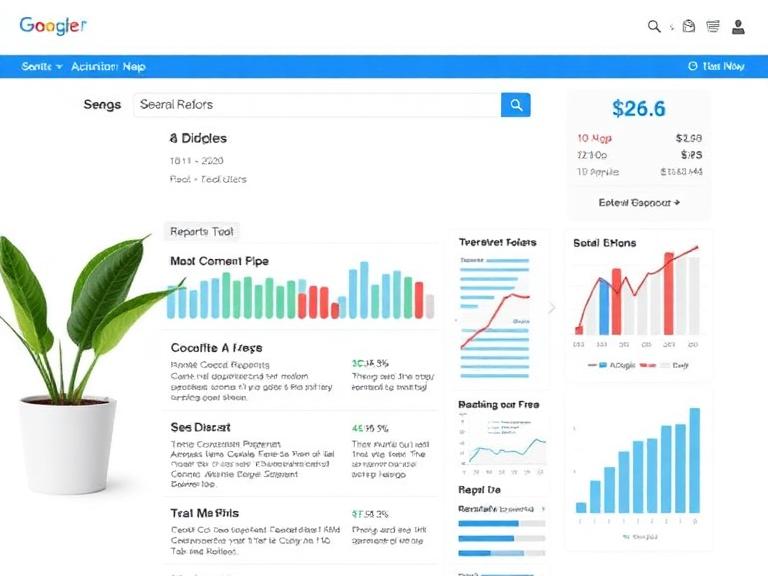
How to Track Local SEO with Google Business Profile: A Complete Beginner’s Guide
If you’re trying to attract more local customers, understanding how to track local SEO with Google Business Profile is one of the most important skills you can develop. A well-optimized Google Business Profile (GBP) helps your business appear in Google Search and Google Maps, but optimization alone isn’t enough. You also need to measure your performance consistently.
Tracking your local SEO allows you to identify what’s working, uncover areas for improvement, and make data-driven decisions that increase visibility, website traffic, phone calls, and store visits.
In this guide, you’ll learn exactly how to monitor your Google Business Profile performance, which metrics matter most, and the best tools to improve your local search rankings.
Why Tracking Local SEO Matters
Many business owners optimize their Google Business Profile and expect immediate results. However, local SEO is an ongoing process that requires regular monitoring.
Tracking your local SEO helps you:
- Measure improvements in local rankings
- Understand customer behavior
- Monitor website traffic from local searches
- Identify high-performing keywords
- Improve customer engagement
- Increase calls, direction requests, and bookings
- Stay ahead of local competitors
Without tracking, you’re simply guessing what works.
What Is Google Business Profile?
Google Business Profile (formerly Google My Business) is Google’s free business listing platform that allows businesses to appear in:
- Google Search
- Google Maps
- Local Pack Results
- Mobile Search Results
Your profile includes:
- Business name
- Address
- Phone number
- Website
- Business hours
- Reviews
- Photos
- Services
- Products
- Posts
- FAQs
A properly optimized profile significantly improves your chances of appearing in local searches.
Step 1: Monitor Google Business Profile Performance
Google Business Profile includes built-in performance data that helps you understand how customers find and interact with your listing.
Key metrics include:
Search Views
This shows how many users discovered your business through Google Search.
A steady increase usually indicates improving local SEO performance.
Google Maps Views
This metric tells you how many users found your business on Google Maps.
If Maps views increase, your local visibility is improving.
Website Clicks
Track how many people visit your website from your business profile.
Growing website clicks generally indicate stronger local search performance.
Phone Calls
Google records the number of customers who call directly from your profile.
Monitor:
- Total calls
- Peak call days
- Call trends
This is especially valuable for service-based businesses.
Direction Requests
If customers frequently request directions, your profile is successfully driving foot traffic.
Retail stores, restaurants, clinics, gyms, and salons should monitor this metric closely.
Booking and Appointment Actions
Businesses using booking integrations should regularly monitor completed appointments.
These conversions directly reflect local SEO success.
Step 2: Track Local Keyword Rankings
Ranking first for your business name isn’t enough.
Instead, monitor keywords customers actually search for, such as:
- dentist near me
- plumber in Dallas
- coffee shop downtown
- local SEO agency
- best pizza near me
Track rankings for:
- Google Search
- Google Maps
- Mobile searches
- Different ZIP codes
- Nearby cities
Because Google personalizes local results, rankings may vary by location.
Step 3: Use Google Search Console
Google Search Console provides valuable SEO insights that complement your Google Business Profile.
Monitor:
Organic Clicks
Measure how many visitors arrive from Google Search.
Search Impressions
Track how often your website appears in search results.
Average Position
Understand where your pages rank for local keywords.
Local Search Queries
Identify search terms that bring customers to your website.
Look for opportunities to optimize pages targeting nearby cities or neighborhoods.
Step 4: Connect Google Analytics
Google Analytics helps you understand what happens after visitors click your website.
Important metrics include:
Organic Traffic
Measure traffic from Google Search.
Landing Pages
Identify which local pages attract the most visitors.
User Engagement
Monitor:
- Time on page
- Bounce rate
- Engagement rate
- Returning visitors
Conversion Tracking
Track valuable actions like:
- Contact form submissions
- Phone calls
- Appointment bookings
- Purchases
- Newsletter signups
Higher conversions usually indicate better local SEO performance.
Step 5: Monitor Customer Reviews
Reviews are one of Google’s strongest local ranking signals.
Track:
- Total review count
- Average rating
- New reviews
- Review frequency
- Response rate
Businesses with frequent positive reviews often perform better in local search results.
Always respond professionally to both positive and negative reviews.
Step 6: Measure Customer Engagement
Google Business Profile allows customers to interact with your listing in multiple ways.
Track:
- Photo views
- Product clicks
- Service views
- Menu interactions
- Q&A activity
- Post engagement
These interactions indicate how attractive your listing is to potential customers.
Step 7: Track Local Citations
Your business information should remain consistent across online directories.
Check your:
- Business name
- Address
- Phone number
- Website URL
Inconsistent business information can negatively affect local rankings.
Regularly audit citation accuracy across major directories.
Step 8: Analyze Competitor Performance
Successful local SEO requires understanding your competitors.
Compare:
- Review count
- Ratings
- Photos
- Posts
- Business categories
- Services
- Customer engagement
If competitors consistently outperform your listing, identify what they’re doing differently.
Step 9: Monitor Google Maps Rankings
Many customers search directly within Google Maps.
Track rankings for important keywords from different locations because search results vary depending on where users are searching.
Businesses serving multiple areas should monitor rankings across every target location.
Step 10: Measure Local SEO KPIs
Track these key performance indicators every month.
| KPI | Why It Matters |
|---|---|
| Google Search Views | Measures visibility |
| Maps Views | Indicates local reach |
| Website Clicks | Tracks traffic |
| Calls | Measures customer interest |
| Direction Requests | Reflects foot traffic |
| Reviews | Builds trust and rankings |
| Average Rating | Influences conversions |
| Organic Traffic | Shows SEO growth |
| Local Keyword Rankings | Measures search visibility |
| Conversions | Tracks business results |
Best Tools for Tracking Local SEO
Several tools can help you monitor local SEO performance more effectively.
Google Business Profile
The primary source for tracking customer interactions, profile visibility, and engagement.
Google Search Console
Perfect for monitoring keyword performance, impressions, clicks, and website visibility.
Google Analytics
Tracks user behavior, traffic sources, and conversions after users visit your website.
Google Maps
Check your visibility across different search locations and devices.
Local Rank Tracking Tools
Specialized local SEO tools can monitor keyword rankings across multiple cities, ZIP codes, and geographic locations.
Common Local SEO Tracking Mistakes
Avoid these common mistakes:
- Only tracking website traffic
- Ignoring Google Maps performance
- Not monitoring customer reviews
- Forgetting mobile rankings
- Using inconsistent business information
- Tracking too many metrics without focusing on conversions
- Ignoring seasonal trends
- Failing to analyze competitors
Tips to Improve Google Business Profile Performance
Follow these best practices to strengthen your local SEO:
- Complete every section of your profile.
- Upload high-quality photos regularly.
- Publish weekly Google Posts.
- Encourage satisfied customers to leave reviews.
- Respond to every review promptly.
- Keep business hours updated.
- Add relevant products and services.
- Use accurate business categories.
- Answer customer questions quickly.
- Keep your contact information consistent across all platforms.
Conclusion
Learning how to track local SEO with Google Business Profile is essential for any business that wants to attract more local customers. Rather than relying on assumptions, use performance data to understand how people discover your business, interact with your profile, and convert into customers.
By monitoring Google Business Profile insights, analyzing keyword rankings, reviewing customer engagement, and measuring conversions with tools like Google Search Console and Google Analytics, you can continuously refine your local SEO strategy. Consistent tracking not only improves your online visibility but also helps you make smarter decisions that drive long-term business growth.
Frequently Asked Questions (FAQs)
1. How do I track local SEO performance using Google Business Profile?
You can track local SEO by reviewing your Google Business Profile performance metrics, including Search views, Maps views, website clicks, phone calls, direction requests, and customer interactions. Pair these insights with Google Search Console and Google Analytics for a complete picture.
2. Is Google Business Profile free to use?
Yes. Google Business Profile is completely free and allows businesses to manage their online presence across Google Search and Google Maps.
3. How often should I check my Google Business Profile performance?
It’s recommended to review your performance at least once a month. Weekly monitoring is ideal for businesses actively running local SEO campaigns or promotions.
4. What are the most important local SEO metrics to track?
Focus on metrics such as local keyword rankings, Google Search views, Maps views, website clicks, phone calls, direction requests, customer reviews, and conversion rates. These indicators show how effectively your profile is attracting and converting local customers.
5. Can Google Business Profile improve local search rankings?
Yes. An optimized Google Business Profile with accurate business information, high-quality photos, regular updates, positive reviews, and active customer engagement can significantly improve your visibility in local search results and Google Maps.