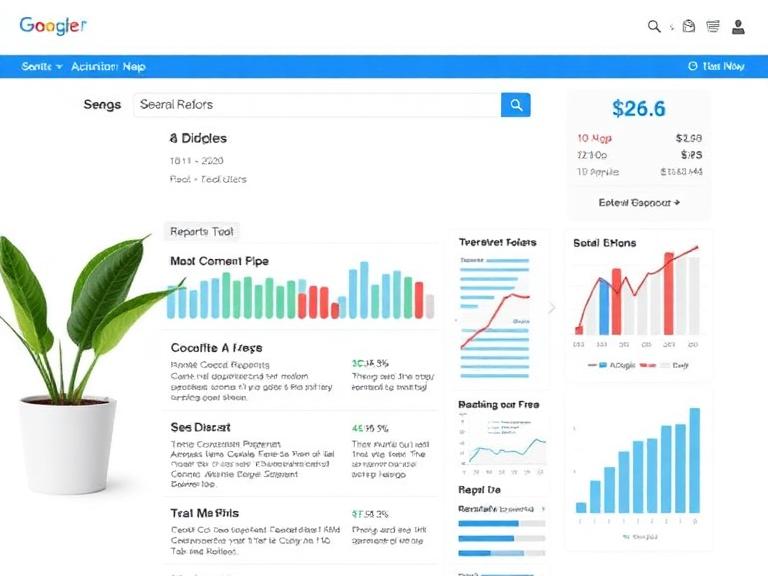
How to Make an SEO Report for Clients: A Complete Step-by-Step Tutorial
Creating an SEO report for clients can seem complicated when you’re just starting out. There are rankings, organic traffic, backlinks, conversions, technical issues, and many other metrics to track. However, a good SEO report doesn’t need to be complicated or filled with confusing data.
A professional SEO report should clearly explain what you worked on, what results you achieved, what changed, and what you plan to do next.
In this tutorial, you’ll learn how to create an SEO report for clients step by step, which metrics to include, what tools you can use, and how to present your results in a way that clients can easily understand.
What Is an SEO Report?
An SEO report is a document that shows the performance of a website’s search engine optimization efforts over a specific period.
Most SEO reports are created monthly, although weekly or quarterly reports can also be useful depending on the project.
A typical SEO report can include:
- Organic traffic
- Keyword rankings
- Google Search performance
- Website conversions
- Backlinks
- Technical SEO improvements
- Content performance
- Local SEO results
- Work completed
- Next month’s SEO strategy
The purpose isn’t simply to provide numbers. The report should explain what those numbers mean for the client’s website and business.
Why Is an SEO Report Important for Clients?
Clients want to know whether their SEO investment is producing results.
Without a clear report, they may not understand the value of the work you’re doing behind the scenes.
A well-structured SEO report helps you:
- Demonstrate progress
- Show completed SEO work
- Identify problems
- Track important KPIs
- Explain ranking changes
- Measure leads and conversions
- Build client trust
- Plan future SEO activities
Instead of sending clients a spreadsheet full of numbers, create a report that tells a simple story: what happened, why it happened, and what happens next.
How to Create an SEO Report for Clients Step by Step
Step 1: Define the Client’s SEO Goals
Before creating the report, determine what the client actually wants to achieve.
Not every client has the same SEO goals.
For example, an e-commerce business may want more online sales, while a local service business may want more phone calls and quote requests.
Common SEO goals include:
- Increasing organic traffic
- Improving keyword rankings
- Generating more leads
- Increasing online sales
- Getting more phone calls
- Improving Google Maps visibility
- Increasing local search visibility
- Growing organic revenue
Start your report by connecting SEO performance to these business objectives.
Step 2: Choose the Reporting Period
Decide what period you’re reporting on.
For most clients, a monthly SEO report is a practical choice.
For example:
SEO Report: July 1–31, 2026
You can compare the reporting period with:
- Previous month
- Previous quarter
- Same month last year
Month-over-month comparisons show recent progress, while year-over-year comparisons can provide better context for seasonal businesses.
Step 3: Create an Executive Summary
The executive summary should appear near the beginning of your report.
Keep it short and easy to understand.
Mention:
- Major SEO improvements
- Important traffic changes
- Keyword ranking progress
- Conversions or leads
- Major tasks completed
- Priorities for the next month
For example:
Organic traffic increased this month, while several target keywords moved onto the first page of Google. We also optimized important service pages and improved internal linking. Next month, we’ll focus on content optimization, technical improvements, and increasing visibility for high-value commercial keywords.
This gives the client a quick overview before they look at the detailed data.
Step 4: Add Organic Traffic Data
The next section should show how much traffic the website receives from search engines.
You can use Google Analytics to monitor organic search traffic.
Important metrics include:
- Organic users
- Organic sessions
- New users
- Engagement
- Conversions
- Landing pages
- Traffic sources
Don’t just report that traffic increased or decreased.
Explain the reason behind the change when possible.
For example:
Organic traffic increased by 18% because three recently optimized service pages gained rankings for several target keywords.
That is much more useful than simply saying:
Organic traffic: +18%.
Step 5: Add Google Search Console Data
Google Search Console is one of the most useful tools for creating an SEO report.
Important metrics include:
- Clicks
- Impressions
- Average CTR
- Average position
- Search queries
- Top-performing pages
You can create a simple table like this:
| Metric | Previous Period | Current Period | Change |
|---|---|---|---|
| Clicks | 3,800 | 4,600 | +21% |
| Impressions | 72,000 | 84,000 | +17% |
| CTR | 5.2% | 5.5% | +0.3% |
| Average Position | 19.1 | 16.8 | Improved |
Use charts where possible because visual data is easier for clients to understand.
Step 6: Report Keyword Rankings
Keyword rankings are another important part of an SEO client report.
However, you don’t need to show every keyword you’re tracking.
Focus on important keywords that are relevant to the client’s products, services, and business goals.
Include:
- Keywords that moved up
- Keywords that dropped
- New ranking keywords
- Keywords entering the top 10
- Keywords ranking in positions 11–20
- High-value keywords
For example:
| Keyword | Previous Position | Current Position | Change |
|---|---|---|---|
| local SEO services | 14 | 8 | +6 |
| SEO agency | 22 | 15 | +7 |
| SEO consultant | 11 | 7 | +4 |
This allows the client to see exactly how their search visibility is changing.
Step 7: Track Conversions and Leads
This is one of the most important sections of your SEO report.
Traffic and rankings are useful, but clients usually care about what SEO does for their business.
Depending on the website, track:
- Contact form submissions
- Phone calls
- Online purchases
- Quote requests
- Bookings
- Newsletter signups
- Demo requests
- Revenue
For example, instead of saying:
Organic traffic increased by 25%.
You could say:
Organic traffic increased by 25% and generated 32 additional leads during the reporting period.
This connects SEO performance to business results.
Step 8: Report Local SEO Performance
If you’re working with a local business, include local SEO metrics in your report.
For Google Business Profile, consider tracking:
- Profile views
- Website visits
- Calls
- Direction requests
- Search visibility
- Customer reviews
- Local keyword rankings
- Google Maps visibility
Local SEO reports should focus on actions that can lead to real customers.
For example, an increase in phone calls or direction requests may be more valuable to a local restaurant, dentist, plumber, or law firm than a simple increase in website traffic.
Step 9: Show the SEO Work You Completed
Clients need to understand what you’re actually doing each month.
Create a section called Work Completed.
You can divide the work into categories.
On-Page SEO
Include tasks such as:
- Optimized title tags
- Updated meta descriptions
- Improved headings
- Added internal links
- Optimized images
- Improved content
- Updated target keywords
Technical SEO
Include:
- Fixed broken links
- Resolved indexing issues
- Improved site structure
- Updated XML sitemap
- Fixed redirects
- Improved page speed
- Addressed technical errors
Content SEO
Mention:
- New articles published
- Existing content updated
- New landing pages created
- Content briefs prepared
- FAQ sections added
Off-Page SEO
Include:
- Quality backlinks acquired
- Link opportunities researched
- Business citations created
- Digital PR activities
- Backlink profile reviewed
This section demonstrates the work behind the results.
Step 10: Include a Technical SEO Overview
You don’t need to overwhelm clients with technical details.
Instead, summarize the most important issues.
For example:
| SEO Issue | Status | Action |
|---|---|---|
| Broken links | Fixed | 14 links corrected |
| Indexing issues | In progress | 5 pages reviewed |
| Missing meta descriptions | Fixed | 22 pages optimized |
| Slow pages | In progress | Priority pages being optimized |
Explain technical SEO in plain English whenever possible.
Step 11: Add a Competitor Overview
A short competitor section can provide useful context.
Compare the client’s website with key competitors based on:
- Keyword visibility
- Organic traffic estimates
- Backlinks
- Content coverage
- Search rankings
- Local visibility
Don’t turn this section into an enormous competitor analysis. Focus on insights that can influence your SEO strategy.
Step 12: Explain Wins and Problems
Every monthly report doesn’t have to show only positive results.
If rankings dropped or traffic declined, explain what happened.
Create two simple sections:
Key Wins
For example:
- Five priority keywords reached page one.
- Organic traffic increased.
- Three new content pieces generated search traffic.
- Several technical errors were fixed.
Challenges
For example:
- Some keywords lost rankings after competitor content improvements.
- Several pages need additional content.
- Organic conversions remained flat.
- Some technical issues require developer support.
Being transparent makes your report more credible.
Step 13: Create the Next Month’s SEO Plan
Finish your report with a clear action plan.
For example:
Next Month’s SEO Priorities
- Optimize pages ranking between positions 11 and 20.
- Publish four new articles targeting relevant long-tail keywords.
- Improve internal linking between service and blog pages.
- Build relevant backlinks to priority landing pages.
- Resolve remaining technical SEO issues.
- Improve local search visibility.
- Review conversion performance.
This gives the client a clear understanding of what you’re going to do next.
Best Tools for Creating SEO Reports
You don’t need dozens of tools to create a professional SEO report.
Some useful options include:
Google Analytics
Use it to track website traffic, engagement, landing pages, and conversions.
Google Search Console
Use it to monitor clicks, impressions, CTR, average position, queries, and pages appearing in Google search.
Google Business Profile
Useful for reporting local SEO performance and customer interactions.
Semrush or Ahrefs
These SEO platforms can help you monitor keyword rankings, backlinks, competitors, and overall search visibility.
Looker Studio
Looker Studio can be useful for creating visual SEO dashboards that combine data from different sources.
How Often Should You Send SEO Reports?
For most SEO clients, monthly reporting is a good starting point.
Monthly reports give you enough time to make meaningful improvements while allowing clients to stay informed.
You can also provide:
- Weekly updates for active projects
- Monthly performance reports
- Quarterly strategy reviews
Avoid changing your reporting period constantly. Consistency makes it easier to identify trends.
Common SEO Reporting Mistakes to Avoid
Even a well-designed SEO report can become ineffective if it focuses on the wrong things.
Avoid these mistakes:
1. Reporting Too Many Metrics
Don’t overwhelm the client with every available SEO metric. Focus on the numbers connected to their goals.
2. Using Too Much Technical Language
Explain SEO terms in simple language.
3. Focusing Only on Rankings
Ranking improvements are useful, but they don’t automatically mean more customers.
4. Ignoring Conversions
Whenever possible, connect SEO traffic to leads, sales, bookings, or other business outcomes.
5. Not Explaining Changes
If traffic or rankings changed significantly, provide context.
6. Forgetting the Next Steps
Always finish with a clear plan for the next reporting period.
SEO Client Report Template
A simple SEO report can follow this structure:
- Client and Reporting Period
- Executive Summary
- SEO Goals
- Organic Traffic
- Google Search Console Performance
- Keyword Rankings
- Conversions and Leads
- Local SEO Performance
- On-Page SEO Work
- Technical SEO Work
- Content Published
- Backlink Activity
- Competitor Overview
- Key Wins
- Challenges
- Next Month’s SEO Plan
This structure works well for freelancers, agencies, and in-house SEO professionals.
Frequently Asked Questions About SEO Reports
What should an SEO report include?
An SEO report should generally include organic traffic, keyword rankings, Google Search Console data, conversions, technical SEO updates, content activity, backlinks, important wins, challenges, and the next SEO action plan.
How often should I create an SEO report?
A monthly SEO report is usually suitable for most clients. Larger campaigns may also benefit from weekly updates and quarterly strategy reports.
What is the most important SEO metric for clients?
There isn’t one universal metric. The most important metric depends on the client’s goals. For an e-commerce business, revenue and organic sales may matter most. For a service business, leads and calls may be more important.
Should an SEO report include keyword rankings?
Yes. Keyword rankings can help demonstrate changes in search visibility. However, don’t rely on rankings alone. Combine ranking data with traffic, conversions, and other business-focused metrics.
Can I create an SEO report for free?
Yes. You can create a basic SEO report using free tools such as Google Analytics, Google Search Console, and Google Business Profile. You can then use a spreadsheet, document, or dashboard tool to present the information.
How do I make an SEO report easy for clients to understand?
Use simple language, charts, short explanations, and clear comparisons. Focus on the client’s business goals rather than overwhelming them with technical SEO terminology.
Final Thoughts
Learning how to make an SEO report for clients becomes much easier when you stop thinking of the report as a collection of numbers.
A strong SEO report tells a story.
It shows where the website was, what SEO work was completed, what changed, what those changes mean for the business, and what you’re going to work on next.
Start with the client’s goals, collect relevant data from your SEO tools, compare performance over time, explain the results clearly, and finish with a practical action plan.
The goal isn’t to create the longest report possible. The goal is to create a report that helps your client quickly understand the value of your SEO work and the strategy moving forward.