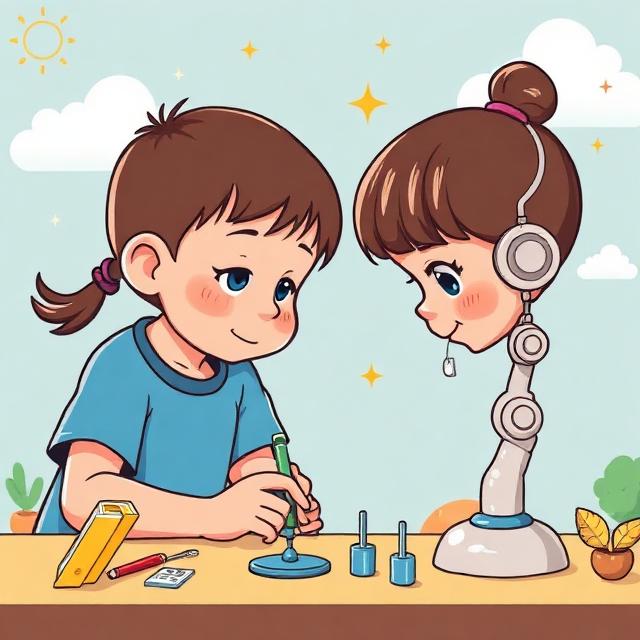
AI for Kids: A Parent’s Guide to Safe & Responsible AI Use
Artificial intelligence is no longer something children will encounter only when they grow up. It is already part of the apps they use, the videos they watch, the games they play, and the tools they may use for schoolwork. From AI-powered learning platforms to chatbots that can answer questions in seconds, AI for kids is becoming an increasingly important topic for parents.
The good news is that AI can be a valuable learning companion when children use it thoughtfully. It can help them explore ideas, practice skills, become more creative, and understand technology. At the same time, children need guidance because AI can provide incorrect information, collect personal data, generate inappropriate content, or encourage over-reliance on technology.
UNICEF’s current guidance on AI for kids emphasizes safety, privacy, fairness, transparency, well-being, and preparing children with the skills they need to participate responsibly in an AI-powered world.
So, how can parents introduce AI to children without making it intimidating? Let’s take a practical look.
What Is AI for Kids?
AI, or artificial intelligence, refers to computer systems that can perform tasks that normally require human-like abilities, such as understanding language, recognizing images, finding patterns, or generating content.
For children, AI might appear as:
- A chatbot answering a homework question
- An educational app adapting questions to their level
- A voice assistant responding to questions
- An AI image generator creating pictures from descriptions
- A translation tool helping them learn a language
- A coding assistant helping them understand programming
The goal isn’t to keep children away from AI completely. Instead, parents can teach children how to use AI safely, responsibly, and critically.
Why Should Parents Teach Kids About AI?
Children are naturally curious. If they discover an AI tool, they may immediately start asking it questions, experimenting with prompts, or using it to complete school assignments.
That curiosity can be positive. AI can make learning more interactive and help children explore subjects they find difficult or boring.
However, children may not always understand that an AI system can make mistakes. They may also be more willing to share personal information with a chatbot because it feels conversational and friendly.
UNICEF notes that children can face risks involving privacy, harmful content, misinformation, discrimination, and emotional dependency when interacting with AI systems.
That makes AI literacy for kids just as important as teaching them basic internet safety.
1. Teach Children That AI Can Make Mistakes
One of the most important lessons is simple: AI is not always right.
An AI chatbot can produce an answer that sounds confident but is completely incorrect. This is especially important when children use AI for homework or research.
Teach your child to ask:
- Where did this information come from?
- Can I verify it somewhere else?
- Does my textbook say the same thing?
- Could the AI have misunderstood my question?
- Can I ask a teacher or parent if I’m unsure?
Instead of saying, “AI knows everything,” encourage children to think of AI as a tool that can help them find ideas—but not as the final authority.
2. Protect Your Child’s Personal Information
Privacy should be one of the first conversations parents have before allowing children to use AI.
Children should understand that they should not casually enter information such as:
- Full home address
- Phone number
- Passwords
- School details
- Private family information
- Financial information
- Personal photographs
- Private conversations
- Sensitive information about friends or family
UNICEF specifically highlights children’s data and privacy as a major area of concern because information children share with AI systems can potentially be collected, processed, or used in ways they may not understand.
A useful rule for younger children is: If you wouldn’t tell a stranger online, don’t type it into an AI tool.
3. Use AI as a Learning Assistant, Not a Homework Machine
There is a big difference between using AI to learn and using AI to avoid learning.
For example, instead of asking AI to write an entire school essay, a child could ask:
“Can you explain photosynthesis in simple language?”
Or:
“Give me three questions I can use to test myself on this chapter.”
This approach keeps the child involved in the learning process.
Parents can encourage children to use AI for brainstorming, explanations, practice questions, feedback, and idea generation rather than simply copying answers.
The aim should be to develop critical thinking, creativity, and problem-solving skills, not dependence.
4. Encourage Children to Question AI
Good AI use starts with good questions.
When a child receives an answer from an AI tool, don’t immediately ask, “Did you get the answer?”
Instead, try:
“What do you think about the answer?”
Ask your child to explain why they believe an answer is correct or incorrect. This simple habit encourages independent thinking.
With AI becoming increasingly accessible, knowing how to evaluate information may become just as important as knowing how to find it. Recent UNICEF guidance also stresses preparing children for present and future developments in AI.
5. Set Age-Appropriate Rules
Not every AI tool is appropriate for every child.
Before allowing your child to use an AI application, check:
- Its minimum age requirements
- What information it collects
- Whether parental controls are available
- What kind of content it can generate
- Whether conversations are stored
- How the service handles children’s data
Rules should also match your child’s age and maturity.
A younger child may need to use AI only with an adult nearby, while an older teenager may be able to use approved tools more independently.
The important thing is to create clear expectations rather than simply saying, “Don’t use AI.”
6. Talk About AI-Generated Content
Children should learn that not everything they see online is real.
AI can generate realistic-looking images, videos, voices, and written content. This makes media literacy increasingly important.
Teach children to pause before believing or sharing something surprising.
Ask:
“Could this have been created or changed using AI?”
This doesn’t mean children need to become technology experts. They simply need to develop the habit of checking information before accepting it as fact.
7. Encourage Creativity With AI
Responsible AI use isn’t only about avoiding risks. Children can also use AI creatively.
Depending on the tool and their age, children can experiment with:
- Story ideas
- Science questions
- Coding projects
- Creative writing
- Art prompts
- Language practice
- Brainstorming
- Educational games
- Research questions
For example, a child interested in space could ask AI to help create a fictional mission to Mars and then research which parts of the story are scientifically realistic.
This turns AI from an answer machine into a tool for exploration.
8. Don’t Let AI Replace Human Connection
AI can explain a math problem, suggest a story idea, or help practice a language. But it cannot replace parents, teachers, friends, or real-world experiences.
Children still need conversations, outdoor play, creativity, hobbies, social interaction, and face-to-face learning.
Parents should watch for signs that a child is turning to AI for every decision or using AI instead of talking to people.
UNICEF has highlighted concerns around children’s relationships with AI systems, including the potential for emotional dependency on AI companions.
Technology should support a child’s life—not become the center of it.
A Practical Approach to Safe AI Use at Home
Parents don’t need a complicated technology policy. A few simple family rules can make a difference.
You might create rules such as:
- Never share private information with an AI tool.
- Always check important information.
- Use AI to learn, not simply to copy.
- Ask a parent or teacher when something feels confusing or inappropriate.
- Follow the age requirements of each platform.
- Take regular breaks from screens.
- Treat AI-generated content with a healthy level of skepticism.
Most importantly, keep the conversation open. Children should feel comfortable telling you when an AI tool gives them something strange, frightening, or inappropriate.
How Parents Can Prepare Kids for an AI-Powered Future
The purpose of teaching children about AI isn’t to turn every child into a programmer.
It’s about helping them become confident, curious, responsible technology users.
Children who learn how AI works, what its limitations are, how to protect their privacy, and how to question information will be better prepared to navigate the digital world.
For parents looking for a broader resource, this AI for Kids: A Parent’s Guide to Safe & Responsible AI Use provides a useful starting point for understanding how children can interact with AI safely and responsibly.
Final Thoughts
AI can be an exciting addition to a child’s learning journey, but children need guidance to use it wisely.
The best approach isn’t to fear AI or give children unlimited access. It’s to find a middle ground where children can explore technology while learning about privacy, accuracy, responsibility, creativity, and critical thinking.
Parents don’t have to know everything about AI either. In fact, learning alongside your child can be a great way to start.
Ask questions together. Test AI tools together. Check answers together. And most importantly, teach your child that being smart with AI means knowing when to use it—and when to think for yourself.
Frequently Asked Questions
1. Is AI safe for kids?
AI can be useful for children when age-appropriate tools are used with suitable parental guidance. However, parents should consider privacy, inaccurate information, inappropriate content, and over-reliance before allowing children to use an AI tool.
2. What age should kids start learning about AI?
There is no single age that works for every child. Basic concepts about AI can be introduced through age-appropriate activities when children are ready. The focus should be on understanding technology, asking questions, staying safe online, and developing critical thinking.
3. Can children use AI for homework?
Yes, depending on school rules and the tool being used. AI can help explain difficult concepts, create practice questions, brainstorm ideas, and support research. Children should avoid simply copying AI-generated answers because that can interfere with genuine learning.
4. What personal information should kids never share with AI?
Children should avoid sharing sensitive information such as passwords, home addresses, phone numbers, financial information, private family details, and other information that could identify or put them at risk.
5. How can parents teach responsible AI use?
Start with simple family rules: protect personal information, verify important answers, use AI as a learning aid rather than a replacement for thinking, follow age requirements, and talk openly about anything unusual or uncomfortable a child encounters while using AI.